Review Comments (0) Screenshots (2) Questions & Answers (0) Votes (0) Awards (2) Wiki  
EMS-HiTech
5.1.0.1
www.sqlmanager.net
Shareware
$275.00  Purchase
16 people
Download EMS PostgreSQL...

62.22 MBDownloaded 126 times

This software was checked for viruses Last month and was found to contain no viruses.
Click here to see antivirus report.
 

Review

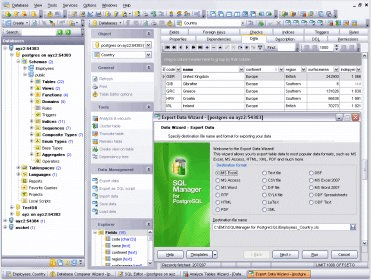
EMS SQL Manager for PostgreSQL is a high performance tool for PostgreSQL database administration and development. It works with any PostgreSQL versions up to the newest one and supports the latest PostgreSQL features including exclusion constrains, ‘when’ clause of triggers, functions returning table, and others. SQL Manager for PostgreSQL offers plenty of powerful database tools such as Visual Database Designer to create PostgreSQL database in few clicks, Visual Query Builder to build complicated PostgreSQL queries, powerful BLOB editor and many more useful features for efficient PostgreSQL administration. SQL Manager for PostgreSQL has a state-of-the-art graphical user interface with well-described wizard system, so clear in use that even a newbie will not be confused with it.

What's new in version 5.1

What's new in SQL Manager for PostgreSQL 5.1?

Added support of new PostgreSQL 9.1 features:
Support of collations.
Support of extensions (the Database Extensions tool in the Services main menu).
Support of view triggers.
Support of ALTER TYPE command for composite and ENUM types.
Support of unlogged tables.
Backup Database wizard. Added the support of backups creation for PostgreSQL 9.1.
Added the support of the column list for UPDATE triggers (PostgreSQL 9.0 and higher).
Function debugger. Added the possibility to debug trigger functions.
Function Editor.
Added the Ctrl+H shortcut to hide/display function header controls.
Added the possibility to quickly specify the returned void and trigger types.
Now in the form header for functions with multiple parameters, the parameter list is truncated to fit the information about the database and server as well.
Now in the Tools | Object Editors section of the Environment Options dialogue, it is possible to set the default values for the “Execute with definer's privileges” property for CREATE functions.
The Ref Cursor type is transferred to the standard type section in the selection list of the returned values now.
The context menu items in the return table fields list were always disabled. Fixed now.
When performing any function in the editor, if setting some large absolute values for the BIGINT parameter, a value was passed into the function incorrectly. Fixed now.
When closing the function editor with a large number of parameters, the “Failed to create key XXX” error occurred. Fixed now.
Variables with the “%type” were not displayed in the code completion list. Fixed now.
Trigger Editor. Added the Ctrl+H shortcut to hide/display the trigger caption controls.
Change Management. Added the support of Slik Subversion client. Also the support of CollabNet Subversion сlient for Subversion is added.
Added the possibility to export table data into the file in many tools.
Check Constraint Editor. Added the possibility to set comments for constraints.
Foreign Key Editor. Now the form size can be changed.
To-Do item Editor. When opening a form, the focus is set on the input text field now. Added the shortcut keys for switching to all input fields.
Data Grid.
If while closing the form with the data grid, the record was only changed, but not posted, the program now asks to save/reset changes in the record.
The size of the numeric datatype fields with precision 15 or more was determined incorrectly - it was not allowed to enter large values. Fixed now.
Report a wrong version Report a wrong program title Suggest a correction

Screenshots

Program Preview Program Preview Software Setup Software Setup

Latest comments


There are no comments, be the first one!
Add new comment

E-mail Address:

Password:

Register now »

Forgot password?

Sign in with:
Download Software Informer Client
Copyright © 2012, Informer Technologies, Inc. About| Privacy and terms| Help| Feedback & Support| Partners program